
Everything a season needs.
Saisonpilot is made for coaches: athletes, training, video analysis and races in one place. Whatever you enter once is available everywhere: in the invitation, in reports and in the family portal.
Every athlete with season, results and account.
On the athlete’s page you see at a glance which events they take part in, how their races went and what is on their account.
- EventsAll of the athlete’s training camps, training sessions and races, past and planned.
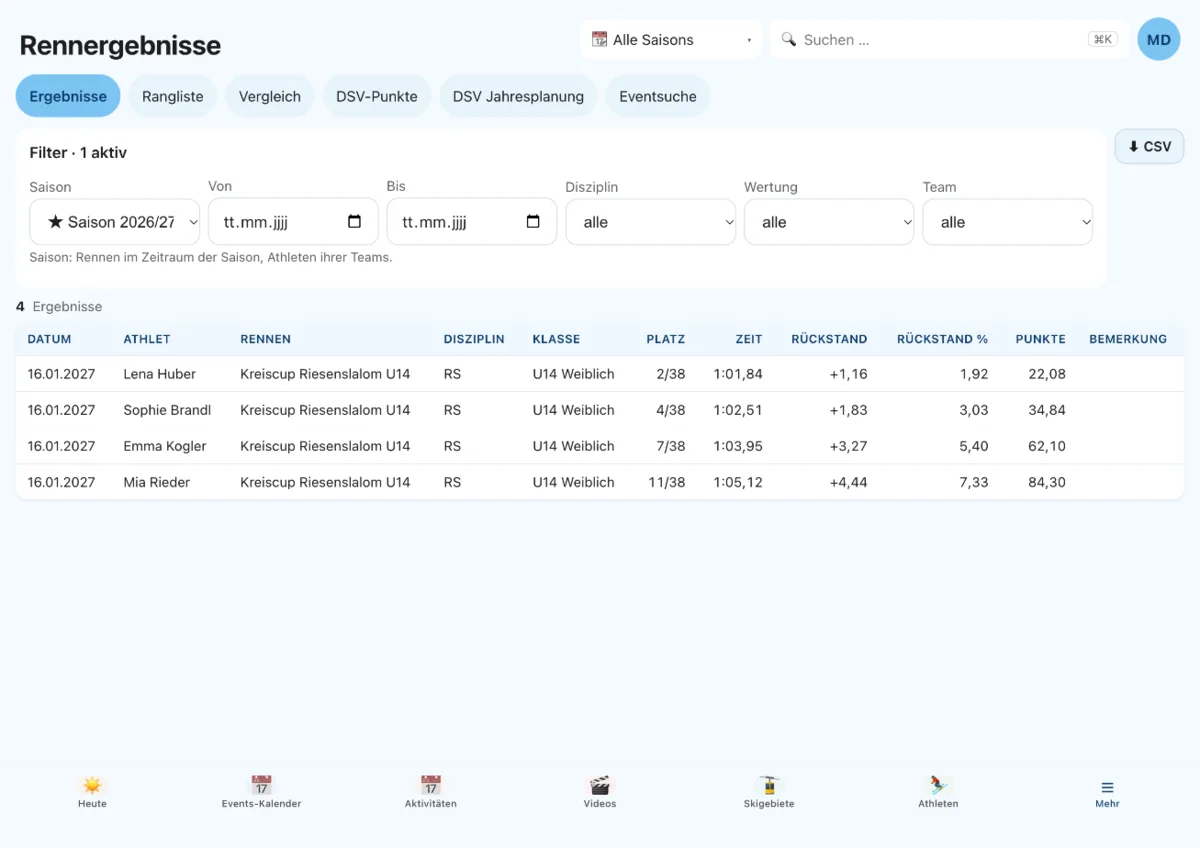
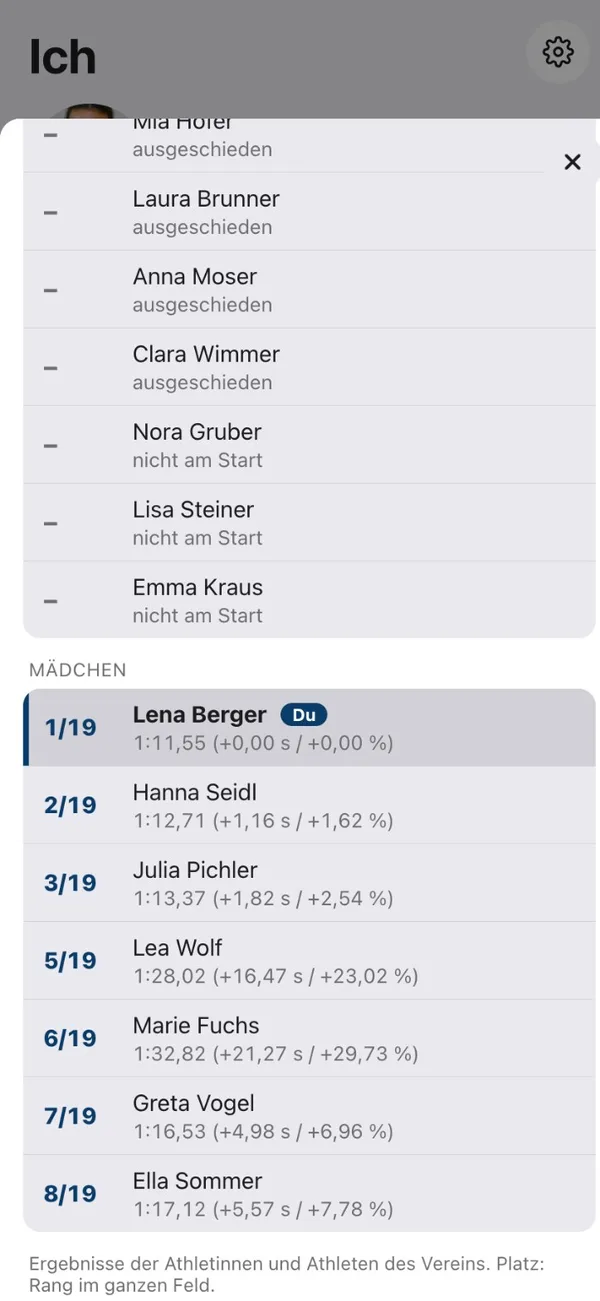
- Race resultsResults lists are read in and assigned to the athletes, with rank and time. Girls and boys are ranked separately, even if the list only gives the gender in the class name. The rank always says what it refers to, such as “13th of 40 in U16 girls” or “22nd of 65 overall”, and never mixes class and overall.
- Complete master data from the listsFrom the DSV points and results lists it has read, Saisonpilot suggests missing details, such as birth year, DSV ID or club. It only fills empty fields, and nothing is applied without your confirmation.
- DSV points automaticallySaisonpilot retrieves the DSV points list by itself every week and shows the progression per discipline.
- FIS points per athleteFor athletes with an FIS code, a dedicated card shows the current points per discipline with rank, change since the previous list and progression. Saisonpilot stores only rows of your own athletes, never third parties.
- Start lists and bib numbersBefore the race weekend, Saisonpilot fetches the start lists several times a day and stores your athletes’ bib numbers. If a list changes, the old version is kept.
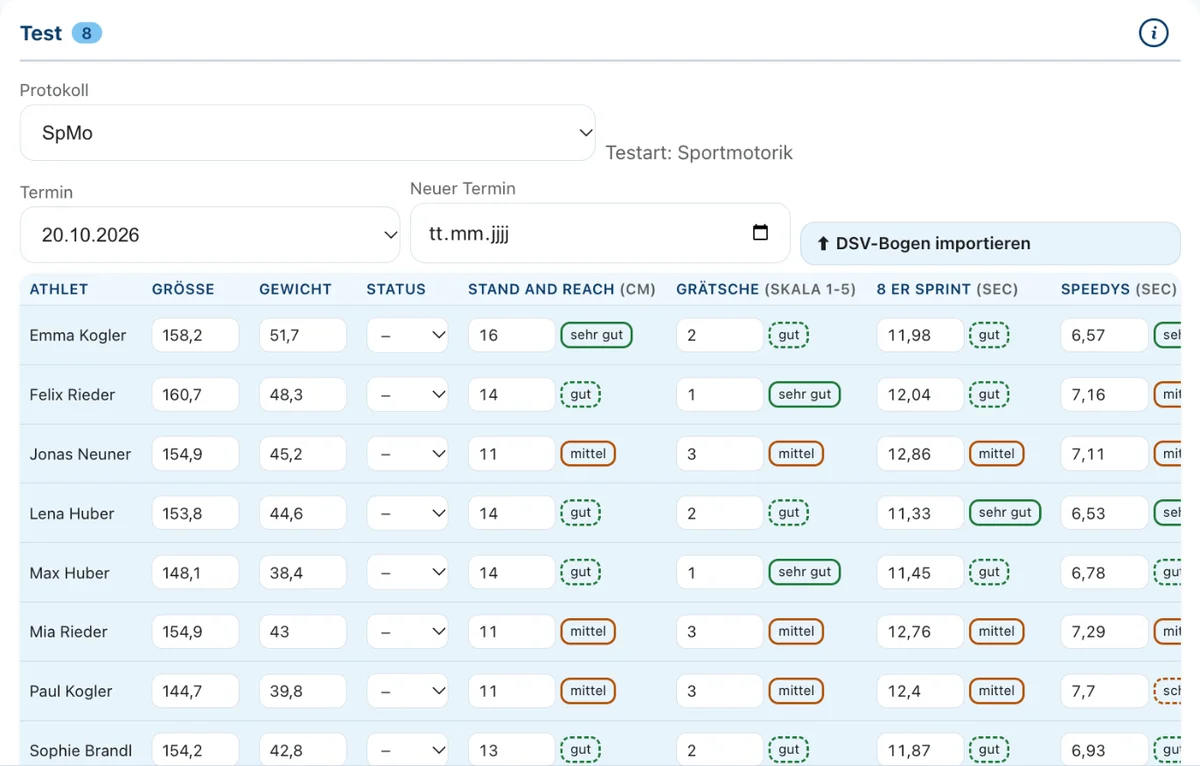
- Tests: athletic performanceYour own test protocols such as the DSV test battery, entered as a table at the event or imported from the DSV form in Excel. Progression per athlete and exercise with a traffic light by level. Exercises can be added or switched off without losing old results.
- Performance diagnosticsStep test with key values and training zones on the athlete, the clinic’s report as a file. With its own permission, because it is health data.
- Account for cost splittingEvery share of event costs lands as an item on the athlete’s account. Payments are booked against it.
Families, coaches and teams kept cleanly apart.
A family can have several children in the club, a coach several teams. Saisonpilot handles that without duplicate lists.
- FamiliesParents and legal guardians with their children, contact details and access to the family portal.
- CoachesWith their own role and their own calendar. Several coaches are possible per event.
- TeamsSquads from U8 to U21. If you look after several teams, you see them together or individually.
- Organizations on the athleteSchool, club and federation are listed on the athlete, including several per athlete. You create new ones right there.
Training camp, race, info evening: all one event.
An event has a type, participants, coaches, location and lodging. From that comes the invitation in your federation’s format, as a PDF with one click.
- TypesTraining camp, training, test, race and information event, each with suitable fields such as organizer, what to bring or school absence request.
- Training as a seriesCreate the weekly training once: daily, weekly, monthly or yearly, until the end of the season or after a set number of sessions. Every date is its own event with its own participants, cancellations, videos and notes. When you change or delete one, Saisonpilot asks as in Outlook: only this date, or this and all following. Deleted and hand-edited dates stay as they are, and past dates never change.
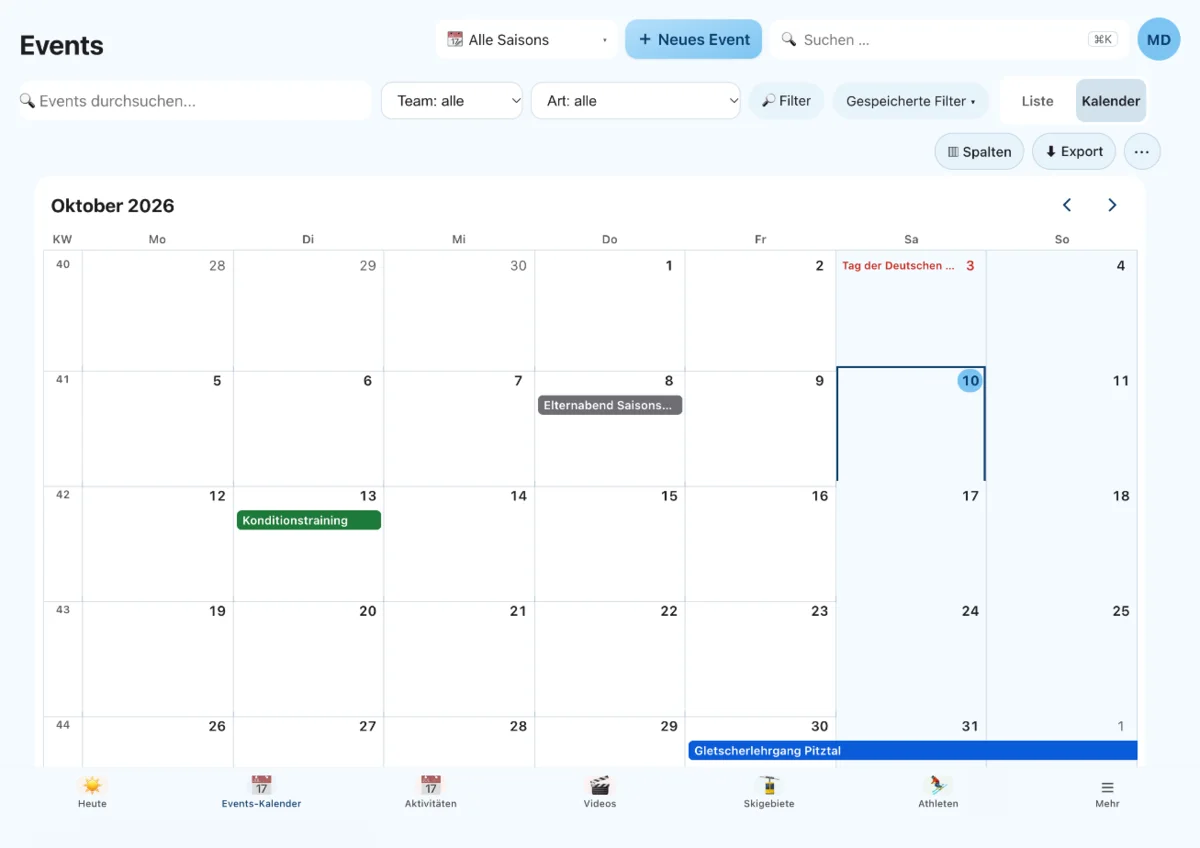
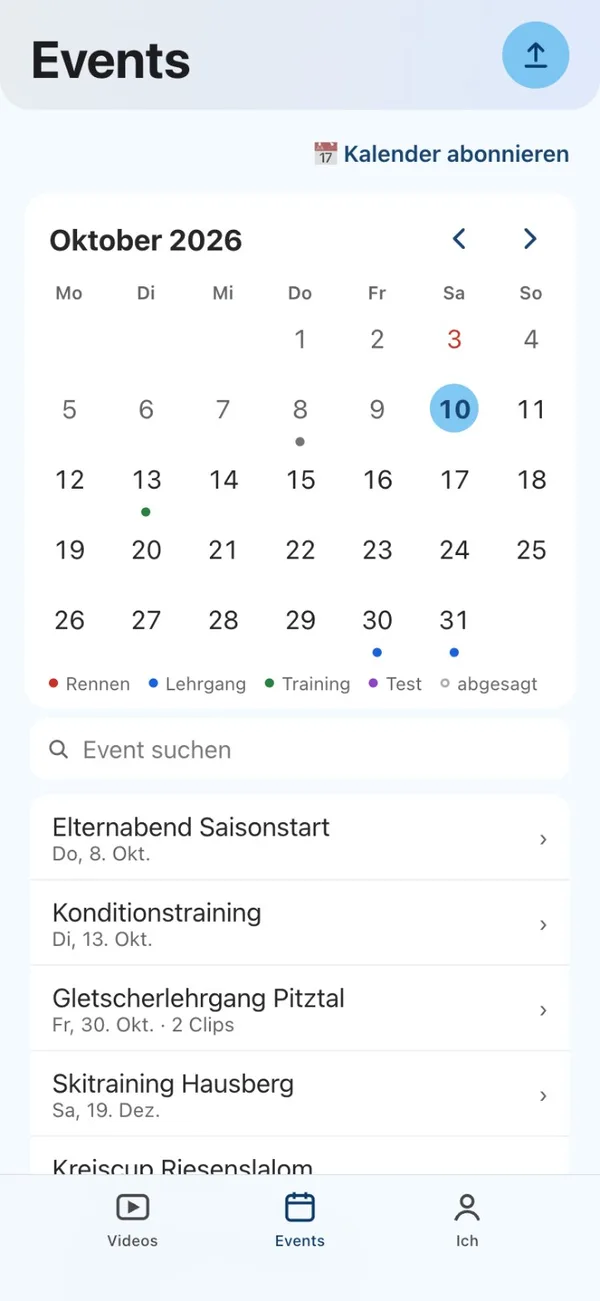
- Event calendarAll events of the season at a glance, color-coded by type, with public holidays and school holidays of your German federal state.
- Calendar subscription for phone and OutlookAn iCal link for Apple, Google or Outlook calendar that keeps itself up to date, with school holidays and public holidays. Coaches see the club’s events or only their own, athletes see their dates and families those of their children.
- InvitationsTemplates with participants and coaches, as a document in the federation format. Emails go out from your own mailbox if you wish, and replies land directly with you.
- Departure and returnDate, time and meeting point of the departure and the return are listed on the event. In the families’ and athletes’ calendar subscription they appear as separate dates.
- Race results on the eventFor every race, the results list with your own athletes.
- Live timing per raceThe event lists the live timing links of its races. For FIS races Saisonpilot finds them itself, and you add others by hand. Each link applies to women or men or to specific athletes, and athletes and families see only their own.
- RatingAfter the event, participants rate how it went.
- DSV annual planningEvery Monday, Saisonpilot fetches the German Ski Association’s (DSV) annual planning for youth (Schüler) and compares it with your events. New, moved and canceled dates appear as a suggestion. You filter by individual age classes from U10 to U16 (U13 counts as U14, U15 as U16) and apply with one click; nothing is changed by itself. The age class then appears as a label on the event.
- Several countriesSaisonpilot handles the points and race systems of the FIS (international), DSV (Germany), ÖSV (Austria), Swiss-Ski (SSV, Switzerland) and FISI (Italy). US Ski & Snowboard (USA) is in preparation.
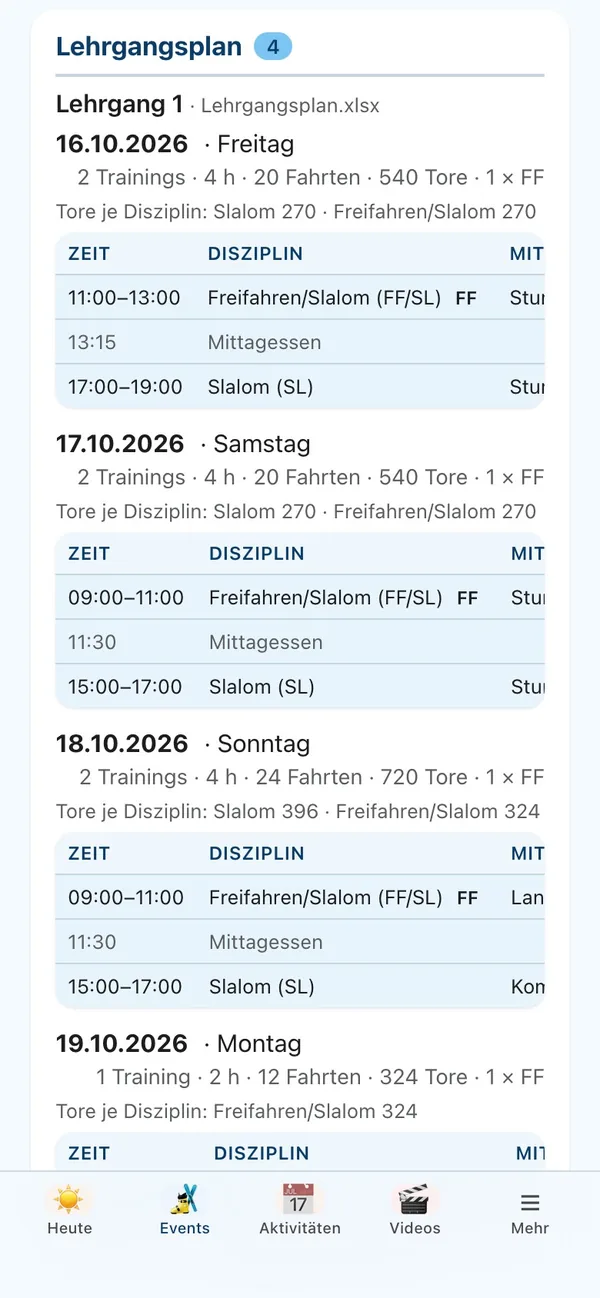
- Camp scheduleFor each day, the sessions with time, discipline and training equipment. Saisonpilot adds up sessions, hours, trips and gates. You carry the schedule over from an earlier training camp or read it in from an Excel file. Coaches have it with them on the mountain in the coach app, even without a network.
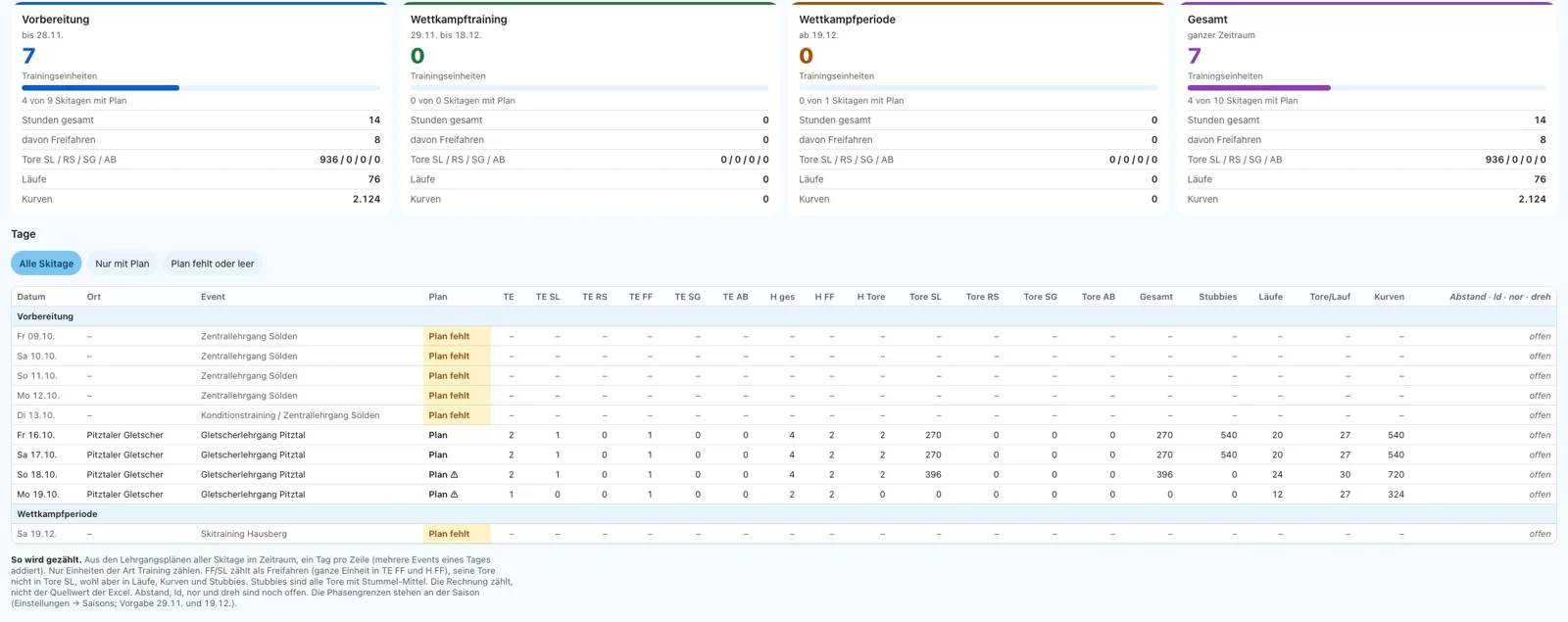
- Skidoku (ski training documentation)From the camp schedules of all events in a period, Saisonpilot calculates the Skidoku: per day, training sessions by discipline, hours including free skiing, runs, gates and turns, plus the totals per phase from preparation to the competition period. You filter by season or period and by team, and a tap opens the plan for the day. If a plan is missing, you see it right away. As Excel in the layout of the Skidoku table, with no double entry.
- Internal datesYou mark a coaches’ meeting or a federation date as internal: athletes and families never see it, not even in the calendar subscription. You assign coaches to the event, and everyone sees “My events”.
- Current seasonThe current season appears first in every selection, marked with ★, set automatically by date or by hand.
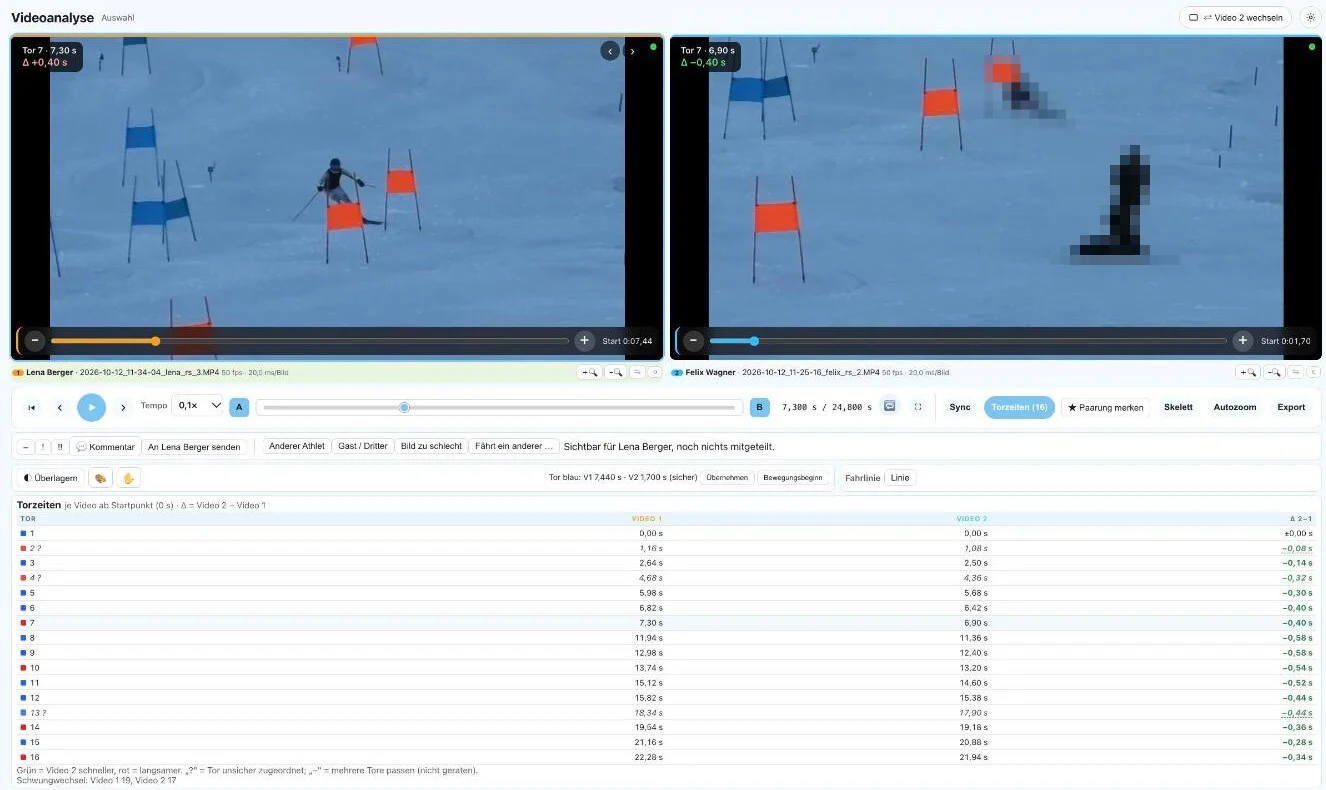
Two runs, one image: see where the time is.
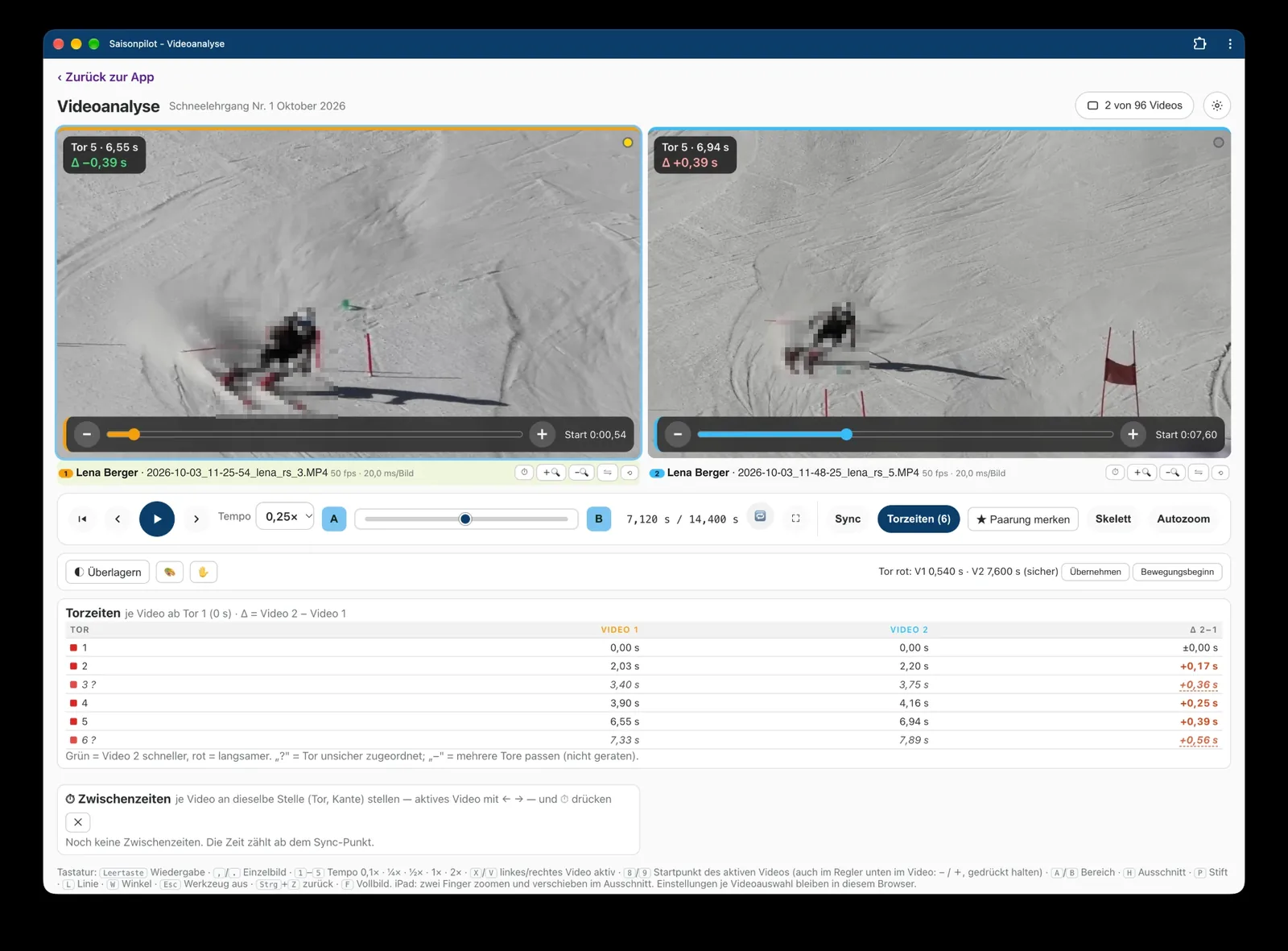
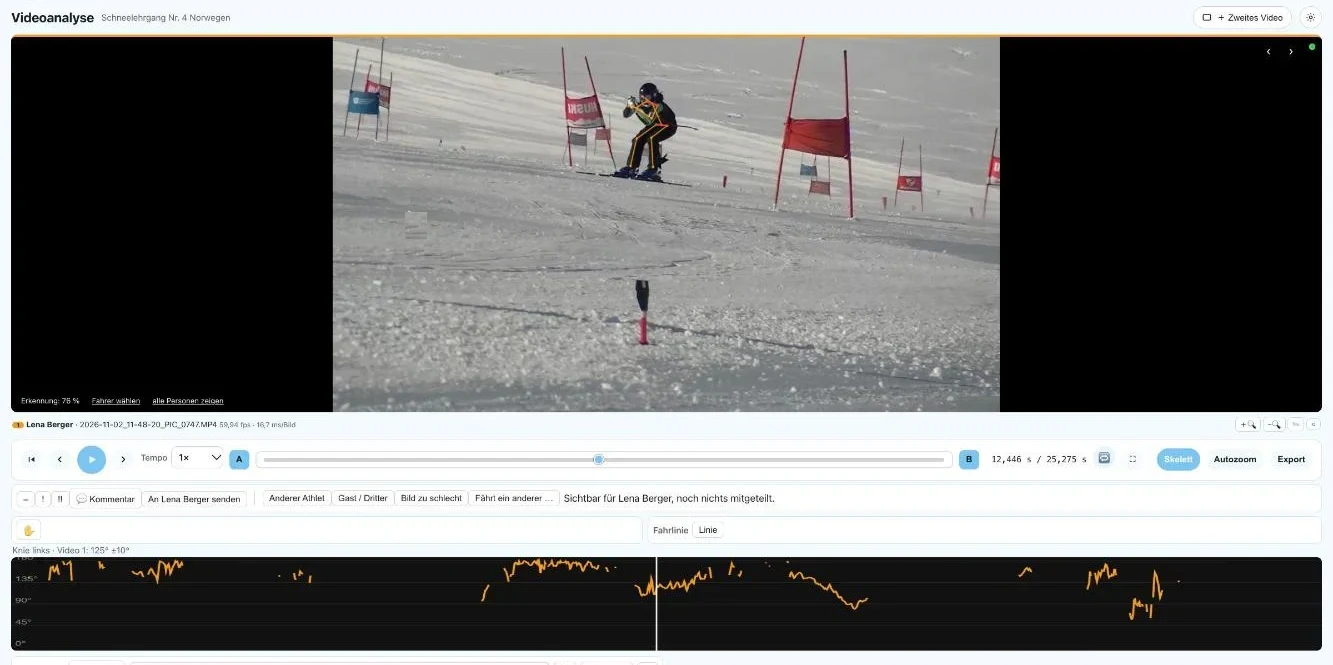
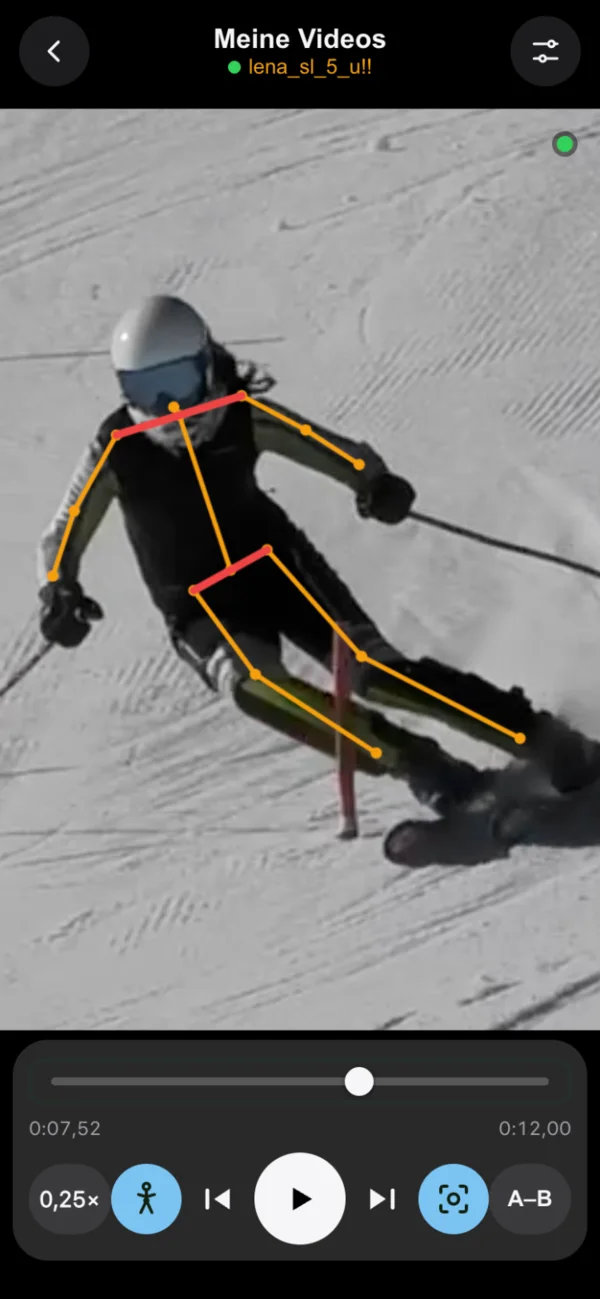
Upload the videos to the event and analyze one run or compare two side by side or on top of each other. Saisonpilot automatically finds the same gate in both runs, aligns the videos on it and shows the time at every gate. It also measures joint angles, all adjustable frame by frame.
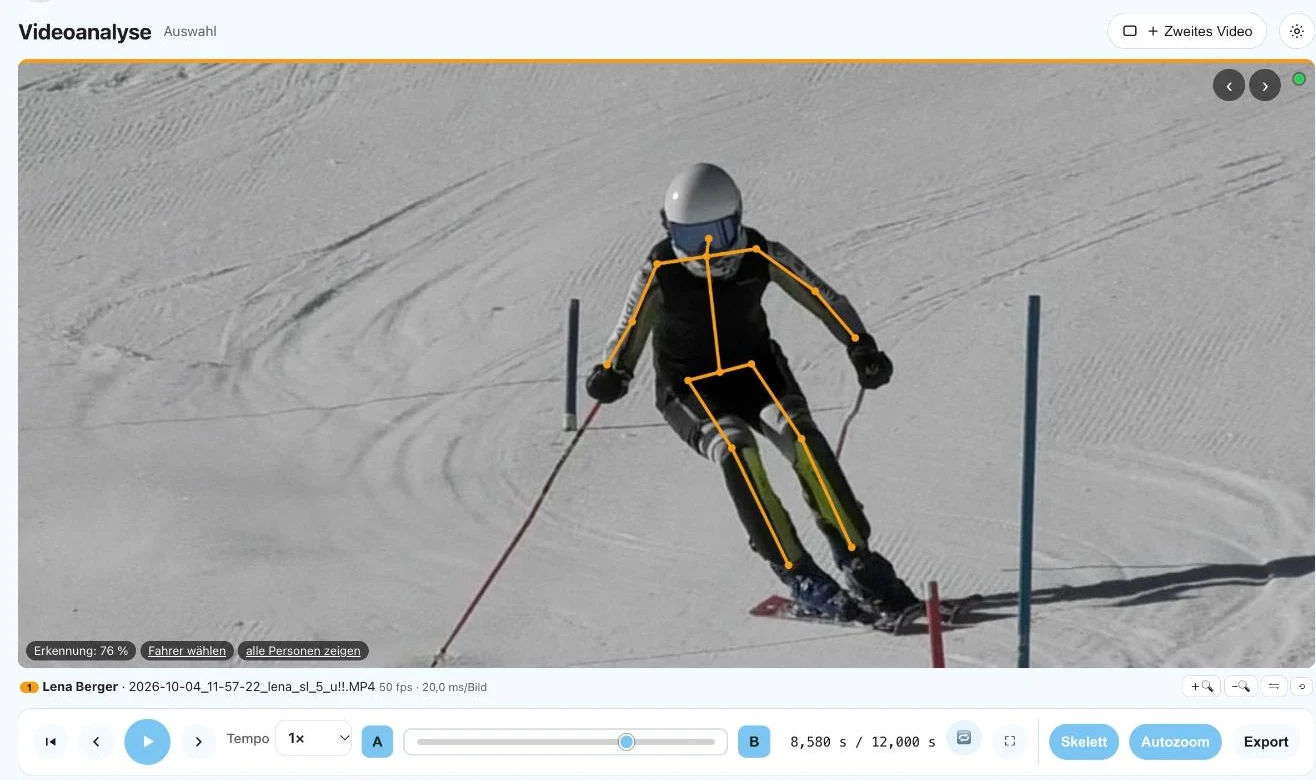
- AI joint anglesSkeleton in the image and angle curves for knee, hip, elbow and trunk lean over the whole run. A click on the curve jumps to that point in the video.
- Automatic gate syncImage recognition looks for the first gate that both runs have in common, with flags or stubbies in giant slalom and with poles in slalom, and aligns the videos on it. If it finds none, it uses the start moment. Fine-tuning works frame by frame.
- Time at every gateFor each gate, Saisonpilot shows the time of both runs from the first shared gate and the difference: green is faster, red is slower. If you set the start point yourself, the gate times follow it. If a gate is not assigned with certainty, a question mark appears; nothing is guessed. The times are a good indication without a GPS tracker and without split times from the timing system. They are not accurate to the millisecond like official timing, but they help a lot in everyday training and in conversation with the athlete.
- Frame-accurate, also in slow motionTrue frame rate up to 240 frames per second, times and split times in step with the frame rate. Playback from 0.1x to 2x, as a loop or from A to B.
- Side by side or overlaidTwo videos, tinted in color, with opacity, difference image, crop, zoom and mirroring.
- Start point right in the imageWith two videos, you move the start point for each video with a slider in the image, frame by frame with − and +. Saisonpilot remembers the alignment on all devices.
- Draw and measurePen, line, arrow, circle and angle. Comments at points in time, also spoken, with keywords as #word for filtering. Still image or image sequence as a file on the event.
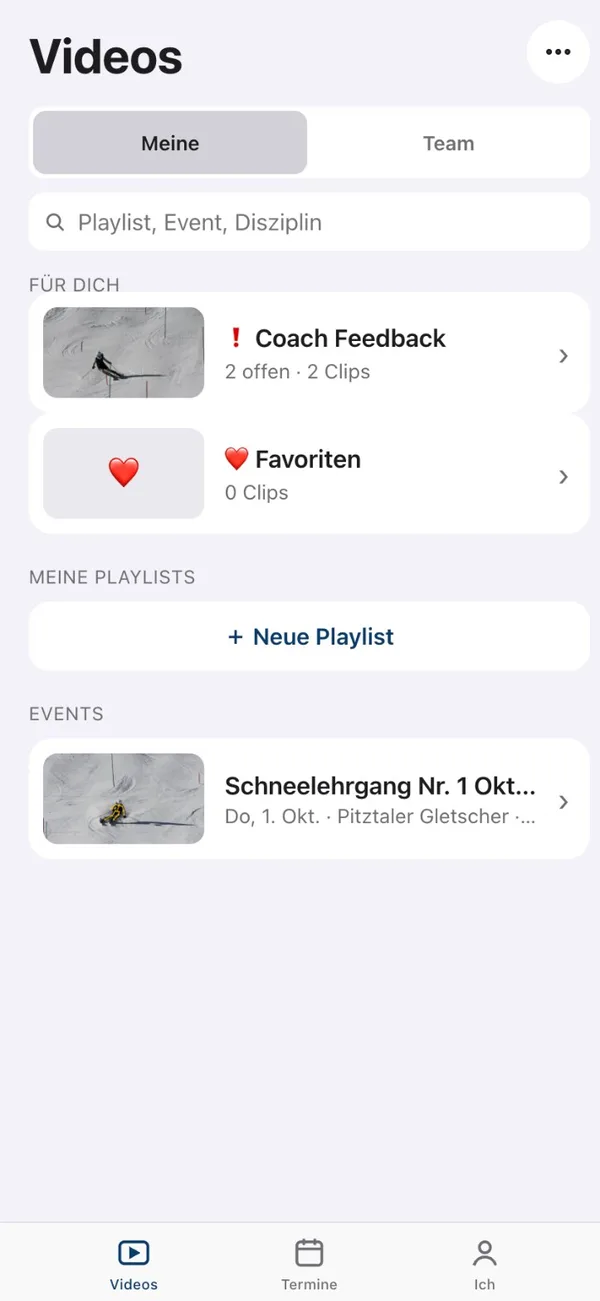
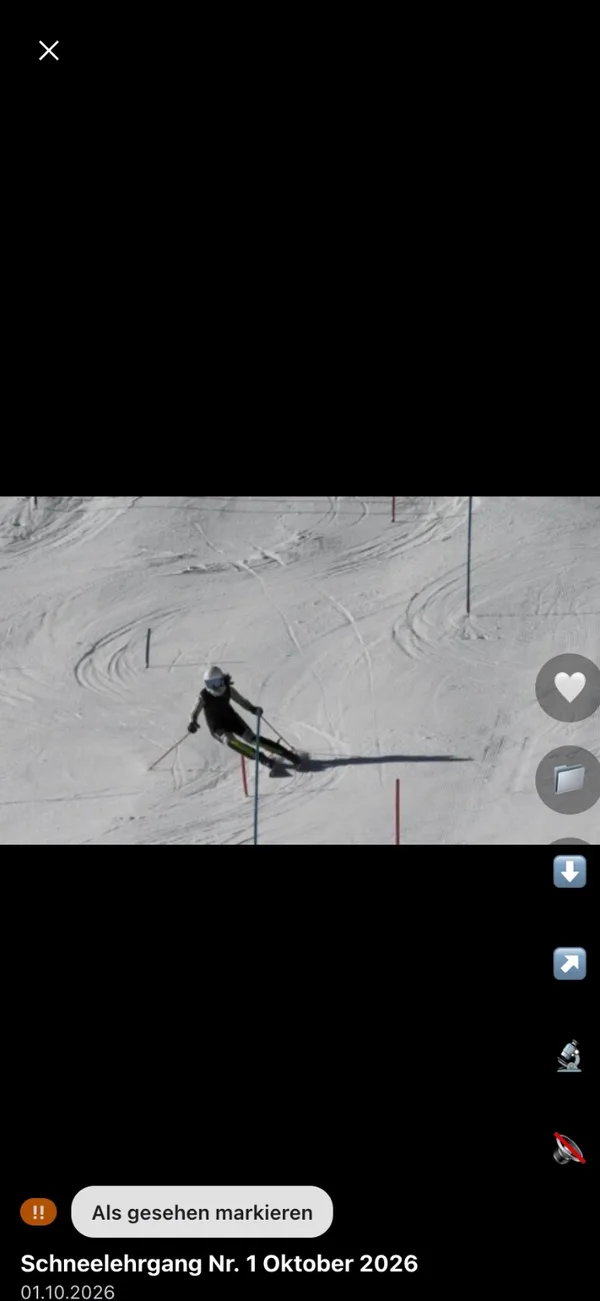
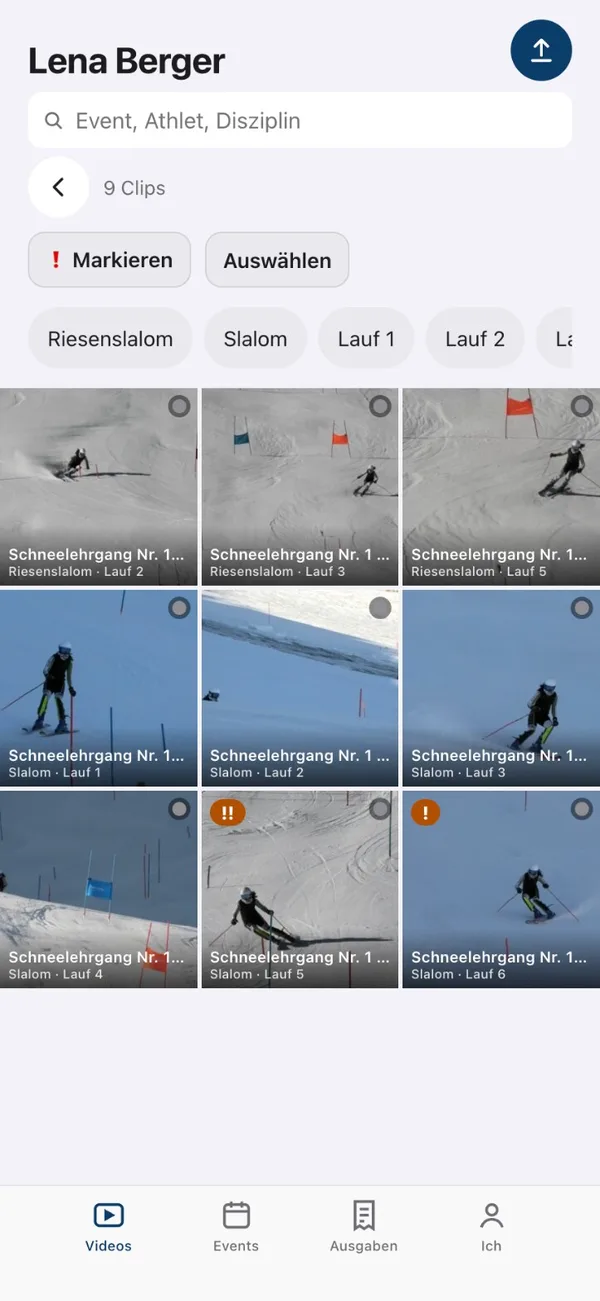
- Coach FeedbackMark a video with ! or !!. The athlete gets a notification, finds it in the “Coach Feedback” playlist and ticks it off as watched. You see who has already watched it.
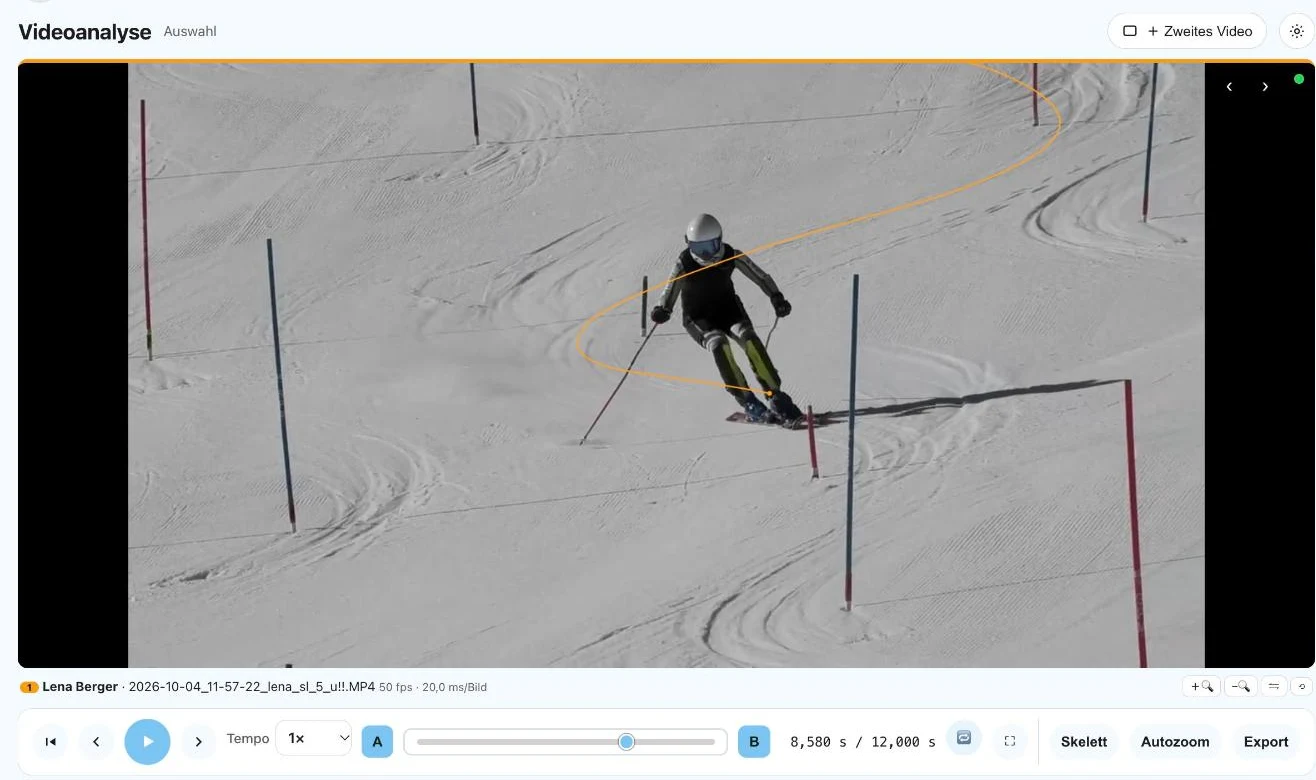
- Driving lineOn request, Saisonpilot draws a thin line at the ski, relative to the gates: as a tail of the last seconds or as the whole line up to the frame shown. You switch it on and off with the gear and can include it in the export. The line is an approximation at the ski, not accurate to the centimetre; with a lot of camera movement it can be rough over short stretches, and the app tells you when it is.
- Export analysis videoThe video with skeleton and slow motion as an MP4, rendered frame by frame on our server. It plays on any phone and can be passed on to athletes and parents.
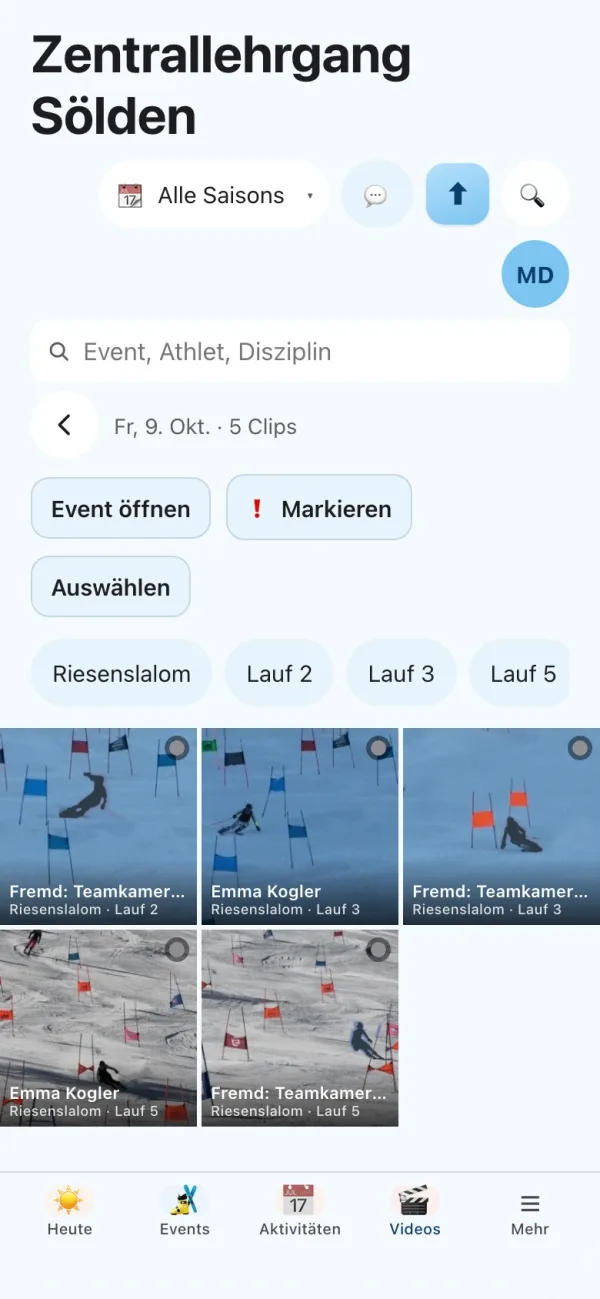
- Many videos at onceDrag the whole training day into the upload. Saisonpilot reads discipline, run and camera from the file name and finds athlete and event itself (see below). Progress is shown per file.
- As simple as necessaryWith the gear icon you hide what you do not need. The Stream Deck profile adapts.
- Straight from the iPhoneRecord videos on the hill or upload them, including large slow-motion videos. Saisonpilot converts them so they play in any browser.
- Upload even in a dead zoneThe videos wait on the device and go up as soon as there is a network again. If an upload is interrupted, it resumes where it left off, and Saisonpilot detects duplicate videos by itself.
- Notification: video readyLarge videos are converted after the upload. As soon as the video is ready, whoever uploaded it gets a notification. The switch for it is in the app.
- Who is that skiing?Saisonpilot recognizes the athlete from the file name (also short forms like “porsti”), from the audio track when you say the name, in the image from helmet, goggles and race suit, and at races from the start number on the bib. No facial recognition at all. Only the name and the second are kept from the audio track, never a transcript. Speech recognition currently understands German.
- Event and run on their ownIf two events fall on the recording day, Saisonpilot assigns the video to the right event through the participants. It works out the run from the time of day of the recordings.
- Assign where it is certainA clear name in the file name or the audio track assigns the video, and at races so does a start number that is read and appears exactly once in the start or result list of the race. When in doubt, you get candidates with a reason. The best one sits as a button right on the clip, and one tap assigns it. A clip that stays open is listed as “Unresolved”. Saisonpilot never changes what you assigned by hand. By default, athletes and families only see automatically assigned videos after you have confirmed them.
- No confirmation, on requestWe switch on automatic confirmation for your team: if the audio track and the image point to the same athlete, the assignment counts as certain even without your tap. It is marked with its evidence and you can correct it at any time. Doubtful cases stay with you.
- Compare any videosTap a video and the analysis opens. With “+ Second video”, Saisonpilot suggests comparisons: the same athlete in another run, the same run with another athlete, or a saved pairing.
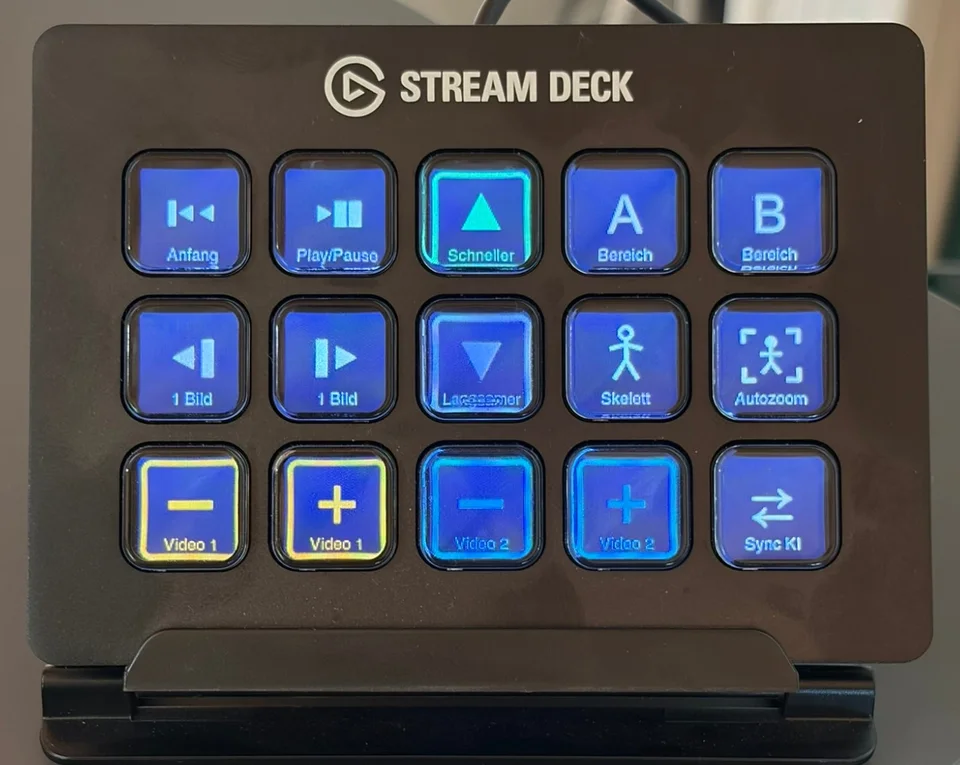
- iPad and Stream DeckWith Apple Pencil and two-finger zoom on the hill. In the coaches’ room with over 50 keyboard shortcuts and ready-made profiles for the Elgato Stream Deck (MK.2, XL, Neo and Mini). On the MK.2, skeleton, autozoom, slow motion and frame by frame sit on one page.
- Parental consentParents sign the template “Consent to video recording” digitally, stored on the athlete and in the family portal.
At the end of the training camp: just upload.
Upload the videos
Load all clips from the camp into Saisonpilot, from your phone or computer, even from a dead zone.
Saisonpilot assigns them
It recognizes event, run and athlete from file name, audio track, start number, recording time and image. Whatever is clear gets assigned.
You confirm the rest
When in doubt, Saisonpilot suggests candidates with a reason. One tap, and the video lies with the athlete and in the family portal.
Tips for recording, analysis and feedback: Guide: video analysis in ski training
Mountain weather for every training session, archived for every season.
Choose your ski areas from the shared pool and assign them to events. Saisonpilot fetches weather and snow depth every morning and permanently records both after the event. That way, even years later, you know in what snow and at what temperature you trained.
The weather values come from a weather model. Snow depth is always measured, by nearby stations and not by the slope gauge.
- Ski areas for all clubsLifts, elevation at the valley and the summit, coordinates and webcams are maintained once by Saisonpilot for all clubs. Glaciers are marked. If your ski area is missing, you create it yourself, and it is then available to everyone. On the ski area you see all your events that took place there. In the assistant, a sentence like “add the ski area Lenggries” is enough: Saisonpilot looks up coordinates, elevations, lifts and the weather source as far as they can be found reliably, and tells you what is missing.
- Navigation to the ski areaThe address of a ski area or event is checked and always laid out the same way. On the road, one tap opens the choice of Apple Maps, Google Maps or Waze with the destination.
- HotelsThe hotels where clubs stay are maintained centrally once, like the ski areas, several per ski area. On the event you pick the hotel with a search. Athletes and families see the name and address in the app, and the contact persons are listed on the event.
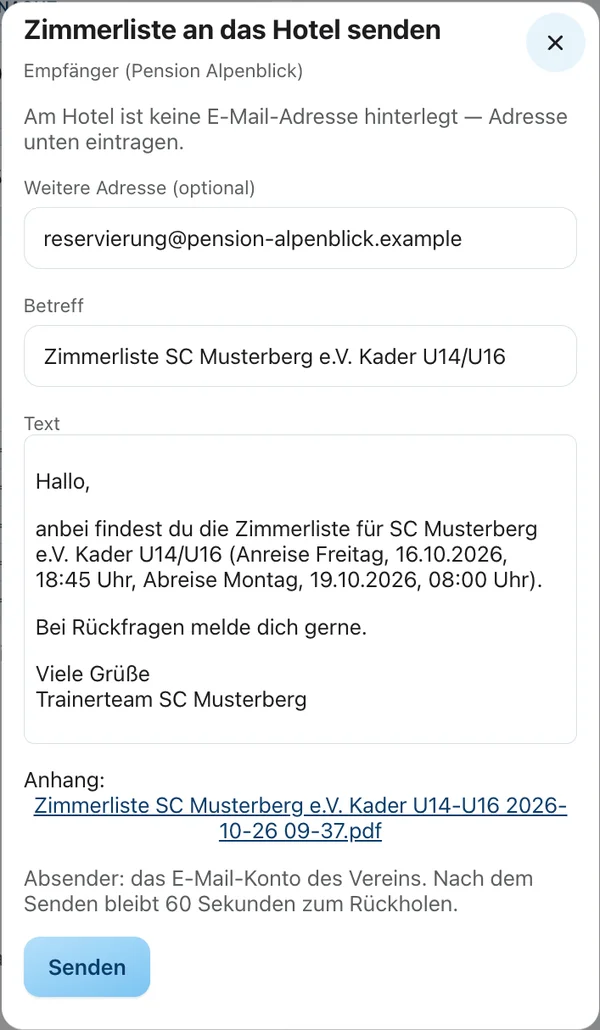
- Room list for the hotelThe room list is a document built from your template, with club, team, arrival and departure, athletes and coaches, nights, prices and meals. It stays current when something changes on the event. With “Send to hotel” you see recipient, subject and text first, and the PDF is attached. If it was already sent, Saisonpilot warns you before a second send, and a sending can be called back.
- WebcamsThe area’s webcams right on the ski area, with zoom. Cameras from other providers are linked.
- Weather for valley and summitTemperature, precipitation, freezing level, wind, gusts and hours of sunshine per day, plus the forecast, fetched anew every morning.
- Measured snow depthSnow depth comes only from measurements, never from the model: from nearby stations, at the bottom and top of the mountain, such as those of the avalanche warning services, the German Weather Service (Deutscher Wetterdienst) and GeoSphere Austria, also retroactively.
- Weather on the eventBefore the event, the forecast for the event days. Afterward, the weather is archived on the event and stays unchanged, retroactively back to the 2024/25 season.
- Weather in the dashboardAnalyze weather and snow depth by season, team or event type, for example next to the race results.
- Lift operator as contactBehind every ski area stands the lift operator with its contact persons, for example for slope booking.
- Book a courseThe request to the lift operator is created as a document from your template, with area, lifts, elevations and contact person filled in automatically.
Split costs fairly, stop retyping receipts.
Lodging, lift tickets, travel costs: Saisonpilot splits what an event costs among the participants. Each family sees their share in the family portal.
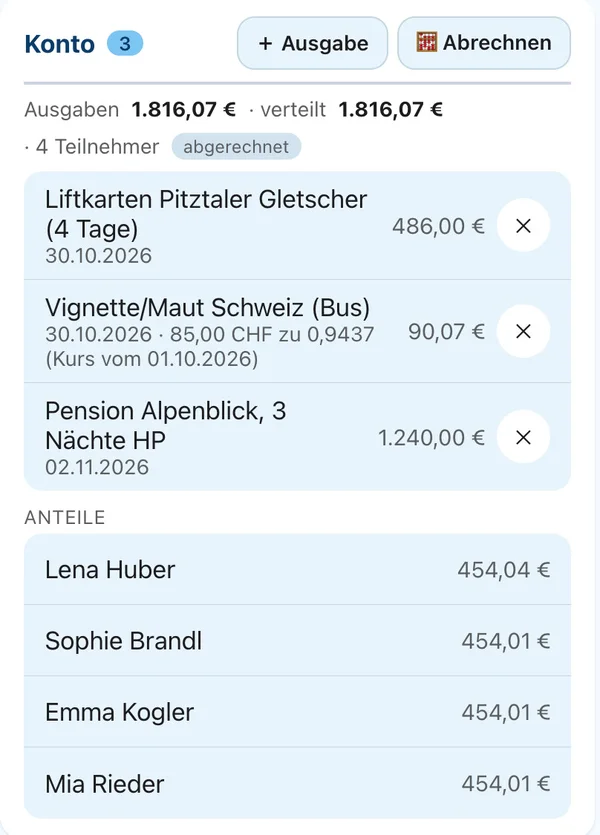
- Costs per eventAll expenses of an event in one place, with the total and the share per participant. Guide: splitting costs fairly
- Receipt recognitionPhotograph or upload a receipt. Amount, date and merchant are recognized and suggested.
- Currency conversionReceipts in francs or other currencies are converted to euros at the ECB daily rate. The original amount stays visible.
- Account per athleteShares and payments make up the balance. No more Excel list at the end of the season.
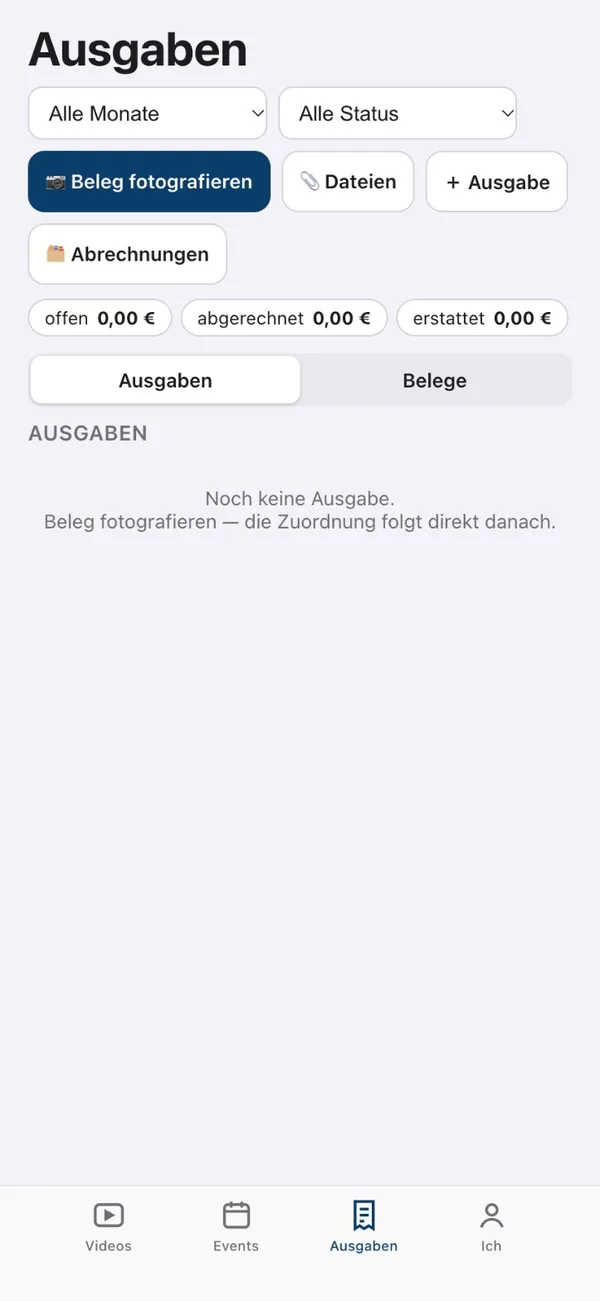
- Travel expenses for coachesPhotograph a receipt in the coach app: amount, date, currency and expense type are recognized. Saisonpilot splits event expenses among the athletes who accepted, and others go to the federation, the club or the employer. The receipt sits next to the expense, with a preview image for PDFs and photos as well. For trips, Saisonpilot suggests the travel day and the kilometers to the event.
- Monthly closingOn the first of the month, a statement per recipient as a PDF with all receipts and as an Excel file, ready to pass on.
Your season in numbers, the way you want to see it.
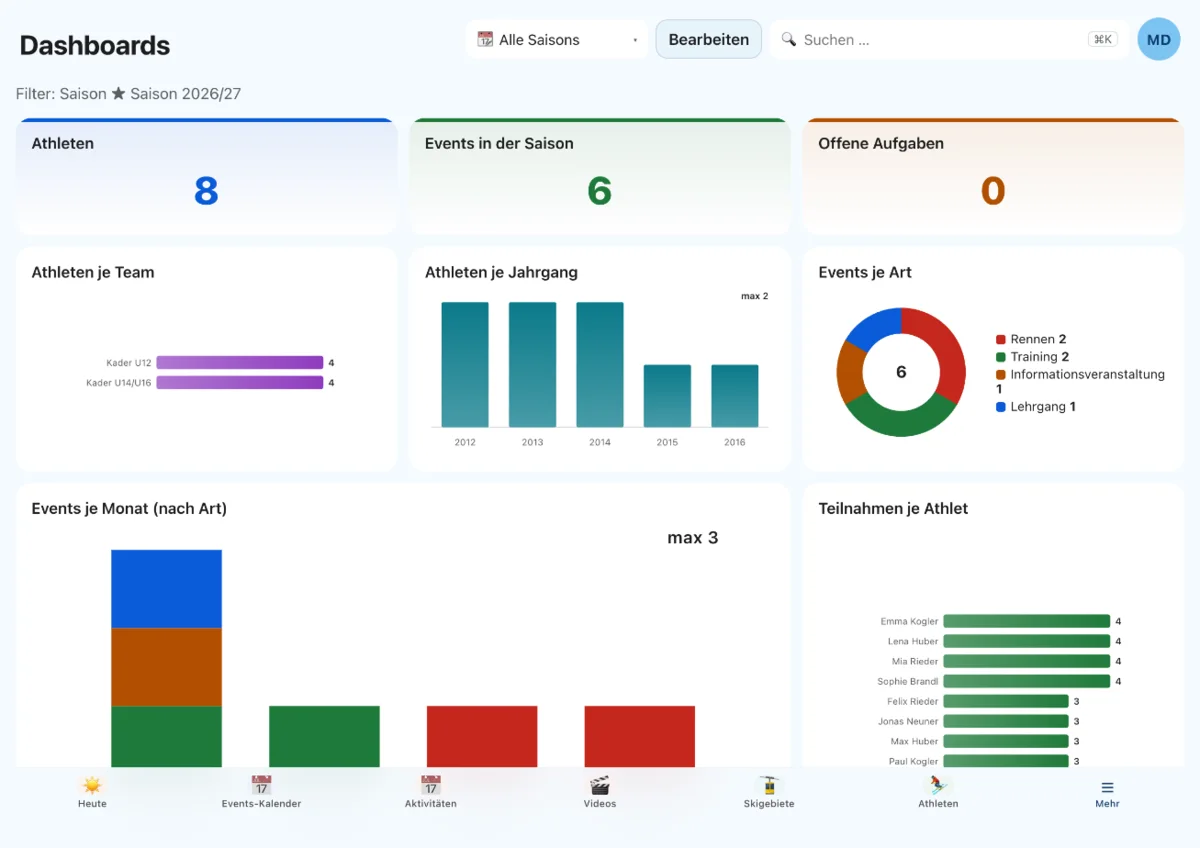
A dashboard shows at a glance what is going on in your team. The “Ski squad” template is ready to use right away, and you click together your own reports yourself.
- “Ski squad” templateAthletes per team and birth year, events per type and month, attendance, costs per event and athlete, best placings, DSV points progression, open tasks and birthdays.
- Your own tilesChoose a source, filter, count or sum, group, done. The preview shows the result immediately. Even your own number fields, such as snow days, become a metric.
- Reports across several areasFor example costs per athlete and team or attendance per team and season, without Excel.
- Costs by event and teamOne dashboard brings together costs from the athlete account, receipts and travel expenses: per event, per team, by payer and over time, with open amounts and notes on costs without an event or team. Export as Excel or CSV.
- Filter and splitFilter by season, month, team or birth year and split bars by color, for example events per month by type. As a number, bar, line, pie or list.
What always runs the same way runs by itself.
You define routines that repeat every week once. Saisonpilot reminds you, creates tasks and fetches data.
- Settle eventThree days after each event, the task to settle the costs is created.
- Weekly points retrievalNew DSV points lists are fetched and assigned to the athletes.
- Read in documentsUpload a photo, PDF or Excel spreadsheet: Saisonpilot recognizes a receipt, start list, DSV invitation, race announcement or squad list, suggests new and changed data and files the document in the right place. Nothing is applied until you confirm.
- Your own routinesYou set up further rules yourself, or we help with it.
Saisonpilot as an app, in the App Store, on Google Play or in the browser.
Coaches, athletes and families download the apps from the App Store or Google Play, or open Saisonpilot in the browser and place it as an app with “Add to Home Screen”. A tip card shows the steps for iPhone and Android. The data stays on our server in Germany.
 Saisonpilot
- Coach
- Athlet
- Family
 Coach
- Athlete
- Family
- Saisonpilot appEverything you need as a coach, as an app: on the phone with a bar at the bottom, on iPad and computer with a sidebar. The “Today” start page shows what is coming up and what is still missing. You edit events, athletes, dashboards and templates on any device. You arrange the menu and the bottom bar to your liking.
- Getting startedSaisonpilot guides new teams through the start: choose ski areas, create athletes and seasons, read in documents. Progress comes from your real data; you do not have to tick anything off.
- Help and supportA button in the app that lets you send us a request. Replies appear right there, with a counter for unread ones. On every card, an (i) explains what it is for.
- Always start in the appIf you prefer to work in the app, switch it on once: after signing in, the account lands there directly, even if an old link points to a classic page.
- Athlete appTheir own videos and, with consent, the team’s videos in playlists per event, filtered by discipline and run. Analysis with skeleton, slow motion, autozoom and A–B loop, their own playlists “Favorites” and “Coach Feedback”, plus the dates with accept/decline. Part of the video analysis add-on.
- Coach appCoaches watch, compare and comment on videos on the hill, upload new ones directly to the event and the athlete, and give Coach Feedback. They photograph receipts for travel expenses on the spot, and they have the camp schedule with them on the mountain, even without a network. Sign in with the Saisonpilot account.
- Family appDates in the monthly calendar, accept or decline, cost account and documents of their own children. Free for all families.
- Calendar and resultsAthletes and families subscribe to their dates in the phone calendar and open the results list of each of their own races directly in the app. Public holidays and school holidays appear in the calendar as well.
- Sign in with Face IDPasskeys in the athlete app and the family app. The password stays as a fallback.
- Notifications after the first startAfter the first sign-in the app asks once whether it may tell you about schedule changes, cancellations and new results. If you choose “Later”, it asks at most one more time after seven days.
- On iPhone and iPadAll four apps run on iPhone and iPad. For Android there are Coach, Athlete and Family on Google Play; Saisonpilot itself opens in the browser there.
- Preloaded for the hillThe athlete app preloads the clips so they play smoothly even on a weak network. A switch determines whether videos are also loaded in full quality over mobile data; if you want to save data, you switch it off.
- Access at a glanceOn the athlete and on the family you see who is invited and when they were last active. You resend invitations with one click, and you block or delete access just as easily.
- Consent firstAn athlete account exists only with a signed consent to video recording. Each athlete signs in with their own email address.
Coach app for coaches
Children’s data belongs in good hands.
In youth sports, most athletes are minors. That is why all data runs on servers in Germany and is strictly separated from other clubs.
- GDPR compliantData processing agreement for every club. The club remains in control of its data.
- Servers in GermanyDatabase and files are located in Germany. Receipt recognition and video analysis with AI run on our own server, not with a cloud service.
- Separate areasEvery club has its own area. Families see only their own children.
- High speedRuns in the browser on phone, tablet and computer. On the phone the apps are in the App Store, or you place it on the home screen as an app.
Try it with your own season plan.
30 days free and no payment details. We import your plan from PDF or Excel.
Try for free